
Download eConnect v2 – Android, Business & Productivity, Finance, TATA AIG Agents, Policy Management, Claims, Task Tracking
Overview
eConnect v2 is a mobile application tailored for TATA AIG agents, designed to support on-the-go business operations within the insurance sector. The software serves as a centralized digital platform enabling agents to manage core aspects of their work, including policy issuance, renewals, cancellations, endorsements, and claims processing. By consolidating these functions into a single interface, the application aims to streamline workflows and improve operational efficiency for field agents.
Target users are primarily insurance agents affiliated with TATA AIG General Insurance Co. Ltd., who require a reliable tool to perform daily tasks without relying on desktop systems. The app supports real-time access to critical business data, allowing agents to stay updated on client policies, pending tasks, and performance metrics. This makes it particularly useful in dynamic environments where timely decision-making and client engagement are essential.
The developer, Tata AIG General Insurance Co. Ltd., is a recognized name in the Indian insurance market, lending credibility to the application’s purpose and functionality. While specific details about the development team or technical architecture are not publicly available, the app’s focus on agent-centric features suggests a strong alignment with field agent needs. It is designed to be used in both urban and rural areas, where mobile connectivity may vary, emphasizing accessibility and reliability.
Key Features & Capabilities
- Policy Issuance – Enables agents to generate and issue new insurance policies directly through the app, reducing dependency on paper-based processes and central offices.
- Policy Renewal Management – Allows agents to identify expiring policies and initiate renewal workflows with minimal manual input.
- Policy Cancellation & Endorsements – Supports the modification of existing policies, including changes in coverage, beneficiaries, or premiums, through formal endorsement requests.
- Claims Processing – Facilitates the submission and tracking of insurance claims, helping agents guide clients through the claims journey efficiently.
- Daily Task List – Displays a prioritized list of pending activities, ensuring agents remain organized and meet deadlines.
- Performance Monitoring – Provides insights into key performance indicators such as policy volume, renewal rates, and claim success metrics.
These features are designed to enhance productivity by minimizing administrative overhead and enabling faster client service. For instance, an agent can issue a new policy during a client meeting, immediately record the transaction, and schedule a renewal reminder—all within the same session. Similarly, tracking claims in real time helps reduce delays and improves client satisfaction. The app’s integration of workflow automation and data visibility supports scalable operations for agents managing multiple clients across regions.
User Interface, Workflow & Performance
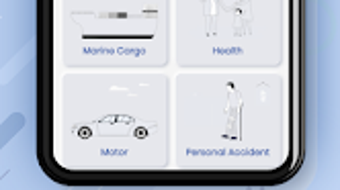
The user interface of eConnect v2 is described as intuitive and user-friendly, prioritizing ease of navigation for agents with varying levels of digital literacy. The layout appears optimized for mobile screens, with clearly labeled menus, logical information hierarchy, and minimal clutter. Navigation is likely structured around core functions such as policy management, claims, and task tracking, allowing users to access key features with few taps.
Workflow efficiency is enhanced through contextual prompts and task-based workflows. For example, when initiating a policy renewal, the app may guide the agent step-by-step through required inputs and validations. The integration of a daily task list further supports proactive work management, helping users stay aligned with business goals.
Performance details were not specified by the developer. However, based on general mobile application behavior, the app is expected to function smoothly on modern Android devices with stable internet connectivity. The developer did not provide additional system requirements or resource usage data. Stability and responsiveness may vary depending on device hardware and network conditions. No information was provided regarding background processes, battery consumption, or memory usage.
Compatibility & System Requirements
eConnect v2 is available exclusively for Android devices. The app was released on August 5, 2024, and is distributed as a free download. The installation size and specific hardware requirements were not disclosed by the developer. As such, exact system compatibility details remain unclear.
Platform compatibility information is limited to Android, with no mention of iOS or other mobile operating systems. Users are advised to check the official source for updates on supported devices. The developer did not specify minimum Android version requirements, screen resolution needs, or storage space requirements. Compatibility with older Android versions or low-end devices cannot be confirmed.
Pros and Cons
Pros
- Free to download and use, reducing entry barriers for agents.
- Comprehensive suite of tools tailored for insurance agents.
- Intuitive interface designed for ease of use in field operations.
- Supports real-time policy and claims management.
- Includes task tracking and performance monitoring features.
Cons
- Platform availability limited to Android only.
- Exact system requirements and resource usage not disclosed.
- Performance behavior under low connectivity or on older devices is unknown.
- No information on offline functionality or data synchronization.
FAQ Section
Is eConnect v2 available for iOS devices?
The application is currently available only for Android devices. No official iOS version has been announced.
Is the app secure for handling sensitive client data?
As a tool developed by Tata AIG General Insurance Co. Ltd., the app is expected to follow industry-standard security protocols. However, specific details about data encryption, authentication, or compliance were not provided.
How often are updates released?
Update frequency was not specified. Users are encouraged to check the official app store listing for release notes and improvements.
Can I use eConnect v2 offline?
Information regarding offline functionality was not disclosed. The app may require an active internet connection for most operations.
What type of license does eConnect v2 have?
The app is distributed as free software, with no licensing fees required for use. It is intended for authorized TATA AIG agents only.
Final Thoughts + CTA
eConnect v2 stands out as a purpose-built solution for TATA AIG agents seeking to modernize their field operations. Its focus on core insurance workflows—policy management, claims processing, and task tracking—makes it a valuable asset for professionals in the field. The intuitive interface and mobile-first design enhance usability, while the absence of cost lowers adoption barriers.
While limitations exist, such as platform exclusivity and lack of detailed system specifications, the app’s alignment with agent needs and its integration into a trusted insurance ecosystem strengthen its credibility. For TATA AIG agents looking to increase efficiency and client engagement, eConnect v2 offers a practical and accessible digital tool.
Download eConnect v2 now







